Fluid Pipes

Fluid Pipe
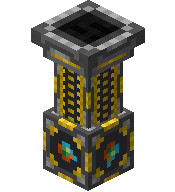
Fluid Extractor
The Fluid Pipe system lets you pipe fluids like water and lava between machines automatically.
It's made up of two blocks:
| Block | What It Does |
|---|---|
| Fluid Pipe | The pipe that carries fluids from point A to point B. |
| Fluid Extractor | Pulls fluid out of a source and pushes it through the pipe network. |
How to Set Up
- Place a fluid source — this can be a Sink, a Crucible, a water/lava source block, or any UtilityCraft fluid container.
- Place a Fluid Extractor facing towards the source.
- Connect the Extractor to your destination machine using Fluid Pipes.
- The fluid will automatically flow to any connected machine that accepts it.
💡 Tip: The Fluid Extractor must face the source it's pulling from. Pipes just need to connect the path.
Compatible Sources
The Fluid Extractor can pull fluids from:
- Sinks — infinite water supply
- Crucibles — produces lava from cobblestone
- Water/Lava source blocks — consumes the source block
- UtilityCraft fluid containers — any machine or tank that stores fluids
Example Setup
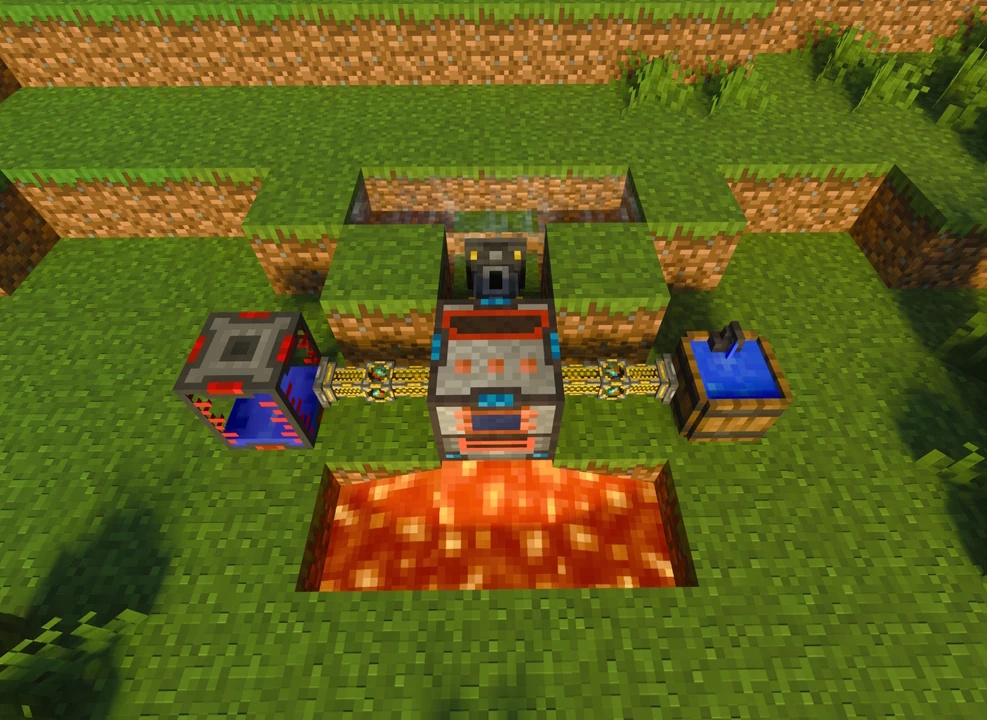
A Fluid Extractor pulling water from a Sink and feeding it into an Ultimate Thermo Generator.
Transfer Modes
The Fluid Extractor supports three transfer modes from its menu:
| Mode | Behavior |
|---|---|
| Nearest | Sends fluid to the closest destination first. |
| Farthest | Sends fluid to the farthest destination first. |
| Round Robin | Distributes fluid evenly across all connected destinations. |
You can also toggle the Extractor ON/OFF at any time.
Speed Upgrades
The Fluid Extractor gets faster with Speed Upgrades installed:
| Upgrade Level | Transfer Speed |
|---|---|
| 0 (No Upgrades) | Every 10 ticks |
| 1 | Every 8 ticks |
| 2 | Every 6 ticks |
| 3 | Every 4 ticks |
| 4 | Every 2 ticks |
Filter Upgrades
Adding a Filter Upgrade to the Fluid Extractor unlocks the ability to control which fluids are allowed to pass through.
Fluid Extractor Interface
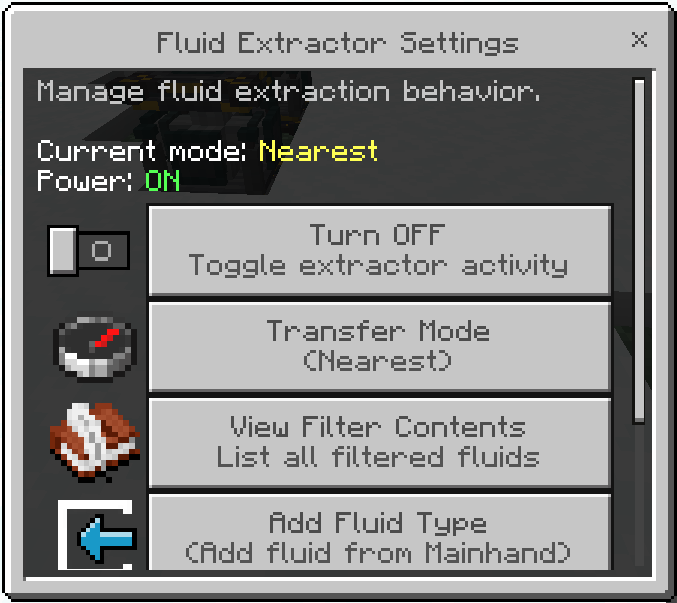
With a Filter Upgrade, the Extractor's menu lets you:
- Add or remove fluids from the filter list.
- Only fluids in the list will be extracted — all others are ignored.
The Fluid Extractor UI does not change when you install a Filter Upgrade. The same interface is used; the upgrade only enables filter actions.
To add a fluid to the filter, either:
- Hold a fluid container in your hand (e.g., a Water Bucket), or
- Point the Extractor at a fluid source block and add it from the menu.
Color Networks
Like other conduit types, you can dye Fluid Pipes to create independent fluid networks. Different colors won't connect, allowing parallel fluid lines without cross-contamination.
Crafting Recipe
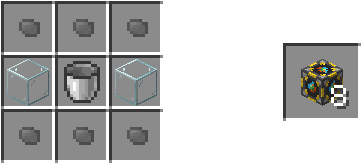
Fluid Pipe
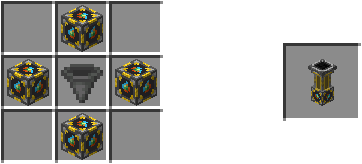
Fluid Extractor
- Fluid Pipe — Crafts 8x per recipe.
- Fluid Extractor — Uses a Fluid Pipe + Hopper.