Transport Systems
Transport systems are what turn a group of separate blocks into a real automation network. They move energy, items, fluids, and XP between generators, machines, tanks, and storage so your base can keep running without constant manual interaction.
Why Transport Matters
Many UtilityCraft machines can already push items forward by themselves, which is enough for simple straight production lines. Transport systems become important when you want more control, longer connections, branching paths, filtering, storage buffering, or wireless routing.
They are especially useful for:
- moving resources between distant rooms or floors
- connecting one generator line to many machines
- routing outputs into storage automatically
- separating different resource lines with filters or colors
- handling fluids and XP, which many basic machine chains cannot move on their own
Main Types of Transport
UtilityCraft transport is divided into several specialized systems:
| System | What It Moves | Best For |
|---|---|---|
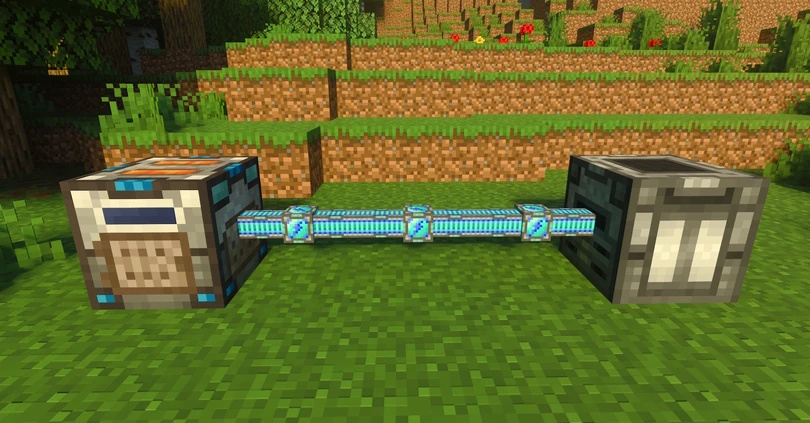
| Energy Cables | Dorios Energy (DE) | Simple wired power lines between generators, batteries, and machines. |
| Wireless Energy | Dorios Energy (DE) | Sending energy across distance without cables using Transmitters and Receivers. |
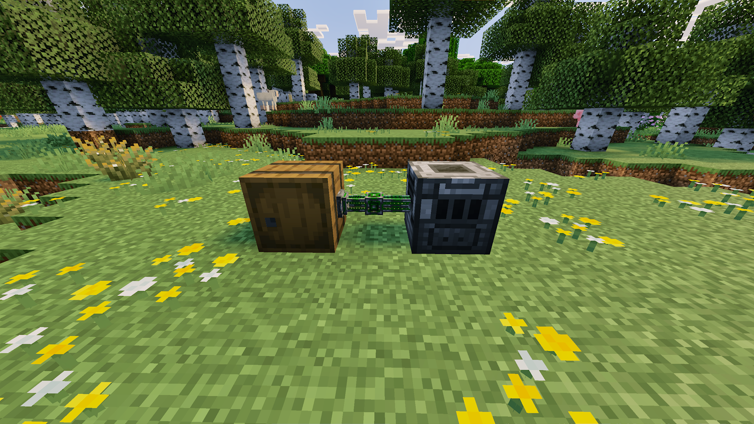
| Item Conduits | Items | Controlled item routing between containers and machines, especially with filters. |
| Fluid Pipes | Fluids | Moving water, lava, XP fluid, and other machine fluids through pipe networks. |
| Mechanical Hoppers | Items | Compact push, pull, pickup, and drop logic without building a full conduit line. |
| Fluid Tanks | Fluid storage | Buffering and storing water, lava, XP fluid, and other automation liquids. |
| XP Drain & Spout | XP fluid | Converting player XP into stored fluid and releasing it again when needed. |
Shared Features
Most UtilityCraft transport systems support some combination of these mechanics:
- Color networks to keep separate lines from connecting to each other
- Speed Upgrades to increase transfer rate
- Filter Upgrades to control what is allowed to move
- Transfer modes such as nearest, farthest, or round robin for more advanced routing
In general:
- Energy Cables are the simplest option and usually need the least setup
- Item and fluid transport use dedicated export or extraction blocks when resources need to be pulled from a source
- Wireless Energy is best when cables would be messy, long, or difficult to route
Choosing the Right System
Use Energy Cables When
- your generator and machines are close together
- you want the simplest possible power setup
- you do not need wireless routing
Use Wireless Energy When
- your power source is far from your machines
- you want cleaner builds with fewer visible cables
- you need to send energy from elevated or isolated generation areas into your main base
Use Item Conduits When
- you need to move items between multiple machines or storage blocks
- you want whitelist or blacklist filtering
- you want controlled distribution to several destinations
Use Mechanical Hoppers When
- you want a compact single-block solution
- you need to pick up dropped items or move items vertically
- a full conduit network would be unnecessary
Use Fluid Pipes and Tanks When
- your setup depends on water, lava, XP fluid, or other machine fluids
- you need fluid buffers between production and consumption
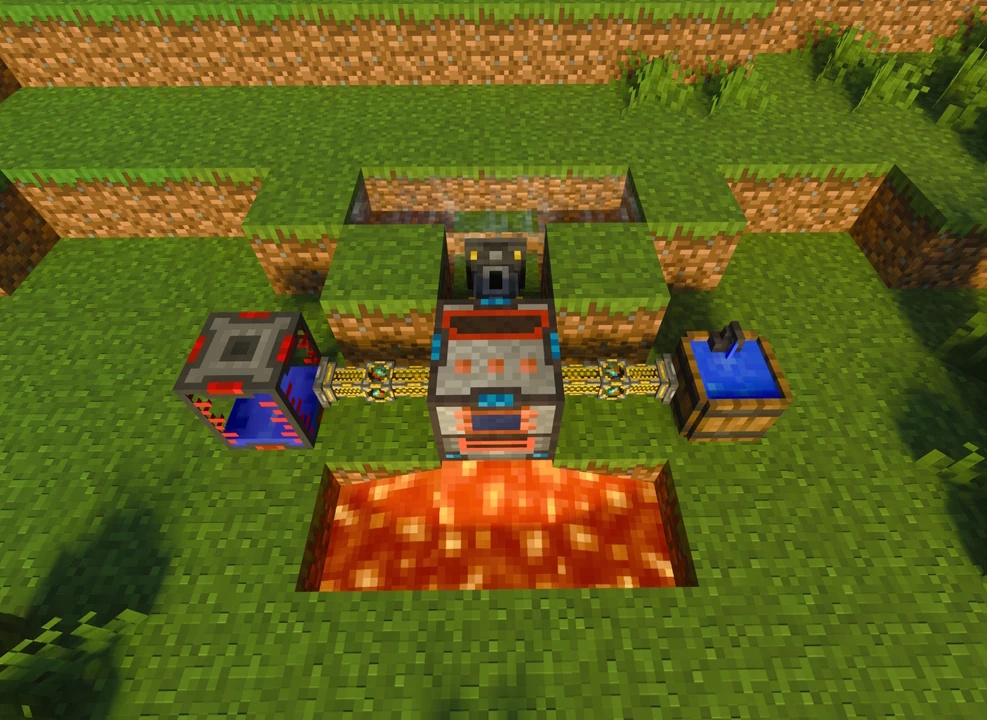
- you want to automate Thermo Generators, Magmators, XP systems, or similar machines
Typical Automation Examples
These are a few common ways transport systems are used in real setups:
- Generator -> Energy Cable -> Machine line for simple early power distribution
- Wind Turbine array -> Transmitter -> Receiver -> factory floor for long-distance passive energy
- Barrel -> Item Exporter -> Item Conduits -> machine for automatic item feeding
- Sink -> Fluid Extractor -> Fluid Pipes -> Thermo Generator for automatic water supply
- XP Drain -> Fluid Tank -> XP Spout for safe experience storage and controlled release
Building Better Networks
A strong transport network usually works best when you:
- keep each line focused on one job
- use colors to avoid mixing independent systems
- add filters only where they give real control
- place buffers like batteries or tanks where production and usage are uneven
- prefer simple direct routes first, then expand into more advanced routing only when needed
Transport systems are the glue between every other part of UtilityCraft. Once your generators, machines, and storage are connected properly, your base becomes faster, cleaner, and much easier to scale.