Energy Cables
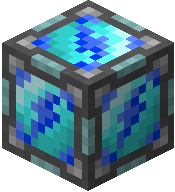
Energy Cable
Energy Cables are the simplest way to move Dorios Energy (DE) between machines. Just place them between a power source and the machine you want to power — no configuration needed.
Dorios Energy Units
Every UtilityCraft machine depends on DE (Dorios Energy) to work.
Energy values are usually shown using 1eX-style units:
| Acronym | Math | Amount |
|---|---|---|
| DE | 1 | 1 DE |
| kDE | 1e3 | 1,000 DE |
| MDE | 1e6 | 1,000,000 DE |
| GDE | 1e9 | 1,000,000,000 DE |
| TDE | 1e12 | 1,000,000,000,000 DE |
| PDE | 1e15 | 1,000,000,000,000,000 DE |
This helps you quickly compare machine storage, generation, and transfer values at a glance.
How It Works
Energy Cables automatically form connections with adjacent energy-compatible blocks. When you place a cable next to a generator or a machine, it links up and starts transmitting energy right away.
- No menus or settings — just place and go.
- Cables visually connect to nearby energy blocks, so you can easily see your network layout.
- The transfer speed depends on the machines connected, not the cables themselves.
Color Networks
You can dye Energy Cables to create separate energy networks side by side. Cables of different colors won't connect to each other, which lets you run multiple independent power lines without interference.
This is useful when you want to dedicate specific generators to specific machines without mixing their energy pools.
For wireless routing between distant bases or rooms, use Wireless Energy:
Example Setup
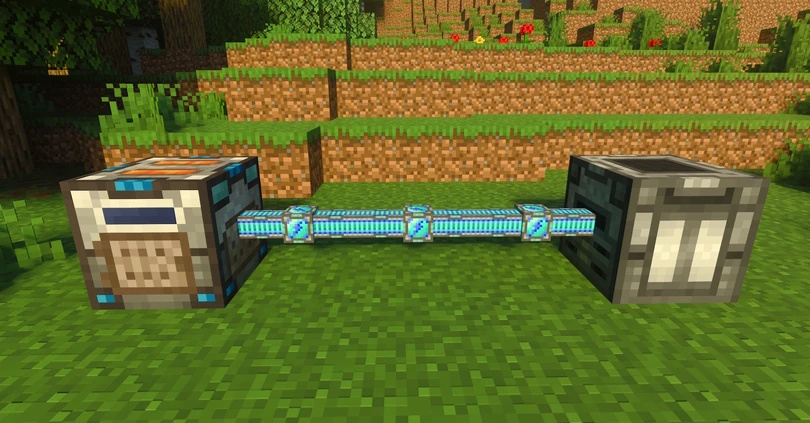
A Basic Furnator supplying energy to an Auto Fisher through Energy Cables.
Crafting Recipe
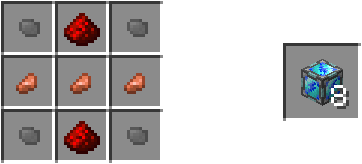
Crafts 8x Energy Cable.