Digitizer
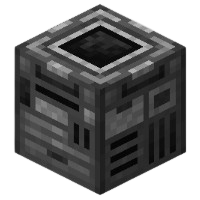
The Digitizer records crafting recipes onto a Blueprint, allowing them to be used by the Assembler for automated crafting.
Machine Information
Setting
Value
Energy Cap
8,000 DE
Energy Cost per Operation
100 DE
Base Processing Speed
5 DE/t
Accepts Speed Upgrades
Yes
💡 Tip: The Digitizer is essential for automation setups that use the Assembler, storing recipes for later use.
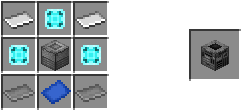
▸ Crafting ingredients in text
Crafted in: UtilityCraft Workbench
Recipe result: utilitycraft:digitizer
Total ingredients
- Iron Plate (
utilitycraft:iron_plate) ×2 - EXPert Chip (
utilitycraft:expert_chip) ×3 - Machine Case (
utilitycraft:machine_case) ×1 - Steel Plate (
utilitycraft:steel_plate) ×2 - Blueprint Paper (
utilitycraft:blueprint_paper) ×1
Usage Examples
| Input | Output |
|---|---|
| Crafting Grid + Blueprint | Saves recipe to Blueprint |
| Machine Case Recipe | Creates stored Blueprint for Assembler |
Crafting Recipe
How It Works
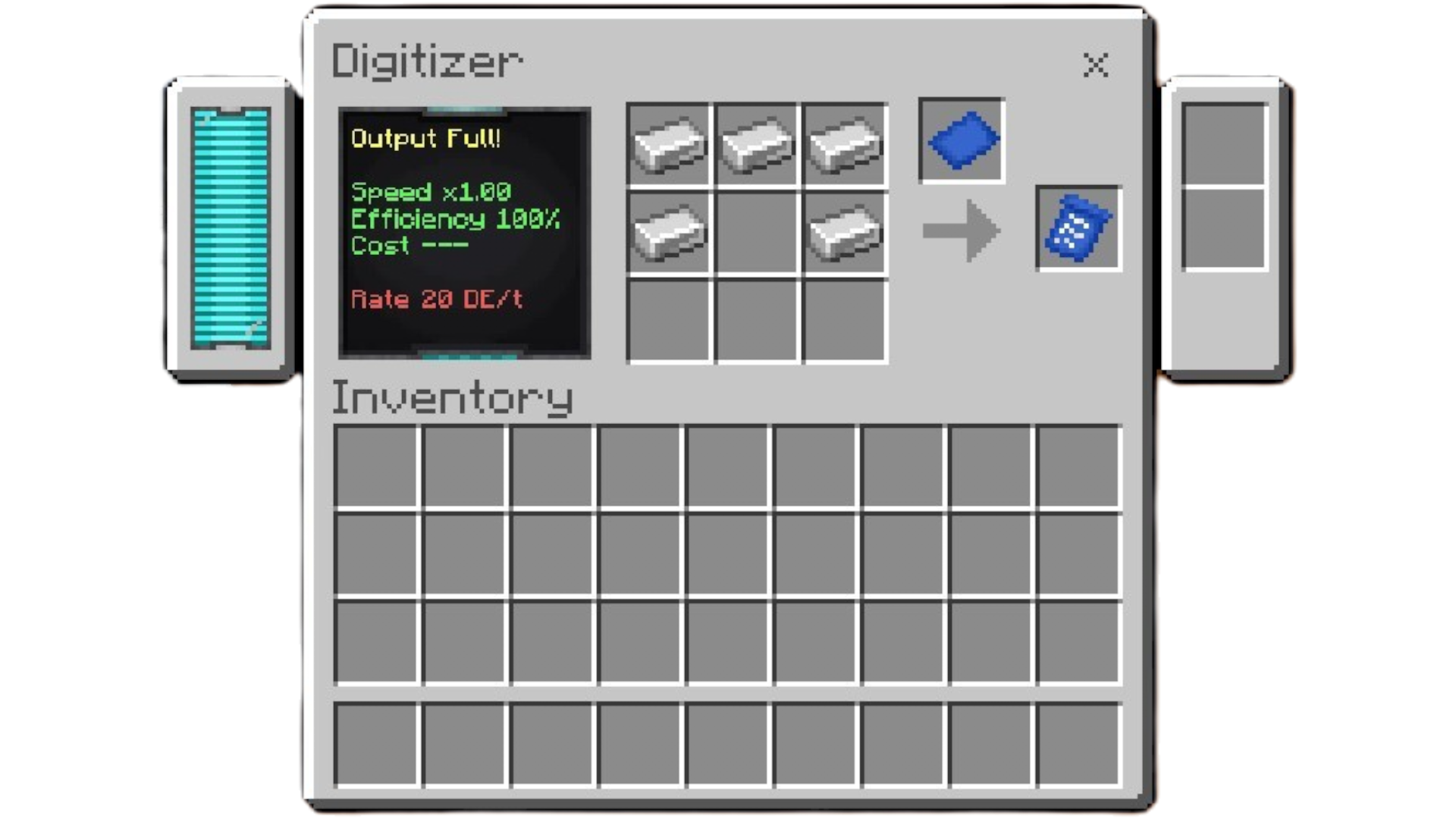
Uses a standard 3×3 crafting grid, just like a crafting table.
It accepts any vanilla or custom recipe from the Workbench.
- Requires a Blueprint and some energy to function.
- Once activated, it saves the selected recipe onto the Blueprint.
- The stored Blueprint can then be used by the Assembler for automation.
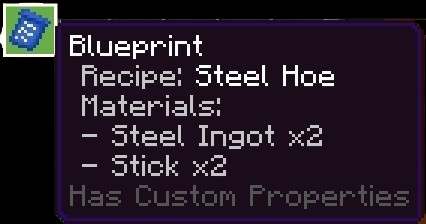
Blueprint
The Blueprint stores the recipe information below its name, showing both the crafted item and its required materials.
How to Use
- Place the Digitizer in your world.
- Insert a Blueprint in the designated slot.
- Arrange a valid recipe in the 3×3 crafting grid.
- Activate the Digitizer to record the recipe.
- The saved Blueprint can now be inserted into the Assembler for automated crafting.