Filter Upgrade
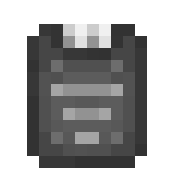
The Filter Upgrade unlocks filtering options so your transport lines move only what you want. It's the upgrade that turns a basic network into a smart network.
Where It Works
Apply directly on compatible blocks:
- Item Exporter
- Item Importer
- Fluid Extractor
- Mechanic Hopper
- Mechanic Upper
- Mechanical Dropper
- Ender Hopper
What It Unlocks
Depending on the block, the same UI gains extra options like:
- Whitelist mode (allow only listed entries)
- Blacklist mode (block listed entries)
- Add/remove items or fluids from filter lists
The interface layout stays the same. Filter Upgrade unlocks additional actions in that existing menu.
How to Apply
- Hold a Filter Upgrade in your main hand.
- Interact with a compatible block.
- The block gains filter functionality.
Crafting Recipe
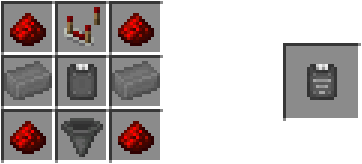
Crafted in the UtilityCraft Workbench.