Mob Grinder
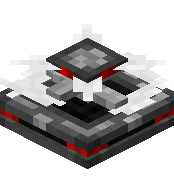
The Mob Grinder is a block that continuously inflicts damage on all nearby entities within its effect radius. It's ideal for automated mob farms, working best when paired with a Mechanical Spawner and an XP Magnet.
Block Information
| Setting | Value |
|---|---|
| Energy Usage | None |
| Supports Range Upgrades | Yes (0–4) |
| Supports Damage Upgrades | Yes (1–8) |
| Tick Interval | Every 5 ticks |
💡 Tip: Use the configuration menu (interact with an empty hand) to fine-tune the range and damage levels without removing upgrades.
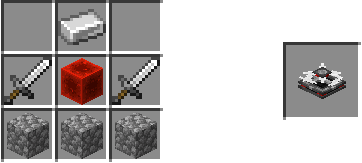
▸ Crafting ingredients in text
Crafted in: UtilityCraft Workbench
Recipe result: utilitycraft:mob_grinder
Total ingredients
- Iron Ingot (
minecraft:iron_ingot) ×1 - Iron Sword (
minecraft:iron_sword) ×2 - Redstone Block (
minecraft:redstone_block) ×1 - Cobblestone (
minecraft:cobblestone) ×3
Range Levels
| Range Level | Effect Radius |
|---|---|
| 0 | 0.5 blocks |
| 1 | 1 block |
| 2 | 1.5 blocks |
| 3 | 2 blocks |
| 4 | 2.5 blocks |
Damage Levels
The Mob Grinder supports damage levels from 1 to 8, controlled via the settings menu.
The maximum selectable damage depends on how many Damage Upgrades are installed.
Crafting Recipe
How to Use
- Place the Mob Grinder where mobs will be.
- Install Range Upgrades and Damage Upgrades as needed.
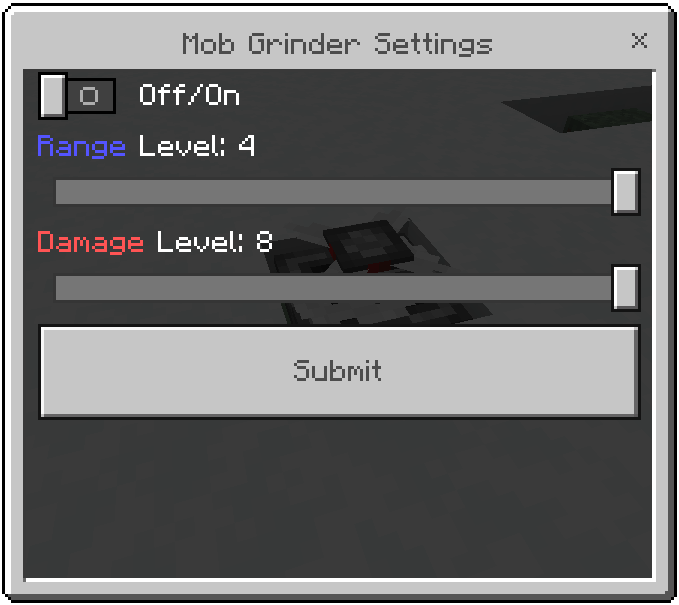
- Interact with an empty hand to open the settings menu.
- Toggle the grinder On, and adjust range and damage levels.
- Any non-player, non-item entity within range will take damage every 5 ticks.
Settings Menu
| Control | Description |
|---|---|
| Off/On | Toggles the grinder active or inactive. |
| Range Level | Slider from 0 to your maximum upgrade level. |
| Damage Level | Slider from 1 to your maximum upgrade level. |