Laser Barrier
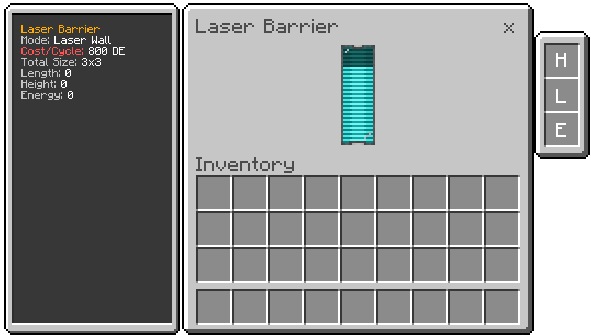
Defensive controller that projects a laser wall in the block's facing direction and periodically damages entities in the area.
What it does
- Creates a laser field with configurable width and height.
- Consumes energy continuously to sustain the field.
- Pulses damage to creatures within range.
- Provides area denial and defensive capabilities.
How to use
- Place the block facing the direction where you want the wall.
- Keep power supplied to the block.
- Install upgrades by right-clicking while holding the upgrade.
- Sneak with an empty hand to remove installed upgrades.
Machine Capabilities
- Energy Capacity: 320,000 DE (0.32 MDE)
- Energy Consumption: 800 DE per damage pulse cycle
- Base Field Size: Configurable width and height
- Damage Pulse: Periodic damage to entities in field range
- Max Upgrades: Up to +8 length/height, up to 8 energy efficiency levels
Upgrades
- Length (Size Upgrade) (L): Increases wall length (up to +8).
- Height (Size Upgrade) (H): Sneak while applying to increase height (up to +8).
- Energy Upgrade (E): Reduces cost per cycle (up to 8 levels).
Defensive Mechanics
- Field Projection: Laser wall projects in the block's facing direction.
- Continuous Operation: Requires constant energy supply.
- Damage Pulse: Periodically damages creatures within the field.
- Sneak Immunity: Sneaking players are not damaged by the pulse.
- Field Collapse: The field disappears when energy runs out.
Strategic Use
- Base Defense: Create defensive perimeters around your base.
- Mob Control: Establish barriers to control mob movement.
- Area Denial: Block access to specific areas.
- Layered Defense: Combine multiple barriers for enhanced protection.
Notes
- The barrier requires line-of-sight from the controller block.
- Energy consumption increases with field size upgrades.
- Field visibility provides clear indication of active protection.