
2 posts tagged with "minecraft-bedrock"

View All Tags

Dorios Excavate - Release

· 2 min read
Milo504
Owner

Tired of chopping trees or mining ores one block at a time?
Dorios Excavate introduces a smarter, faster, and achievement-friendly way to dig through Minecraft Bedrock.


Smarter Mining

This addon reimagines how players mine and gather resources.
Instead of breaking blocks one by one, Excavate lets you instantly mine entire veins, trees, or tunnels — all while keeping lag to a minimum.

Each block is processed with a short delay to maintain smooth performance even during large excavations, making it ideal for both survival and multiplayer servers.


Full Control, Your Way

Every player can fully customize their excavation experience:

  • Add or remove blocks from your whitelist
  • Toggle the excavate ability on or off
  • Change your Shape Mode (Line, Tunnel, Vein, etc.)
  • Adjust your Block Limit for performance and balance
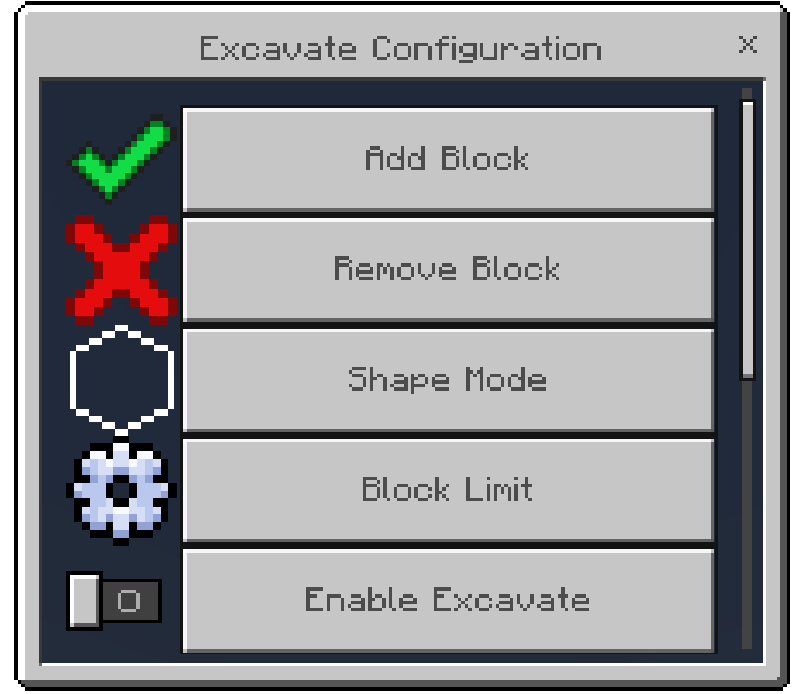
Dorios Excavate Configuration Menu


Works With Achievements

One of Dorios Excavate’s strongest features is its compatibility with achievements.
That means you can use it in your survival worlds without disabling Xbox Live achievements — making it perfect for both casual and competitive players.


Performance-Focused

Unlike traditional vein miners, Dorios Excavate was designed to be lag-friendly.
By spreading block-breaking operations over short intervals, it ensures stable tick performance even when excavating massive areas.


Available Commands

excavateadd              – Adds a block to your personal excavate whitelist.
excavateblacklistadd – Adds a block to the global blacklist. (Admin only)
excavateblacklistremove – Removes a block from the global blacklist. (Admin only)
excavatedefaultadd – Adds a block to the global default list. (Admin only)
excavatedefaultremove – Removes a block from the global default list. (Admin only)
excavatelimit – Sets your personal block limit for excavate.
excavateopenmenu – Opens your personal excavate configuration menu.
excavateremove – Removes a block from your personal excavate whitelist.
excavateshape – Changes your current excavate shape or pattern.
excavatetoggle – Toggles your excavate ability on or off.```
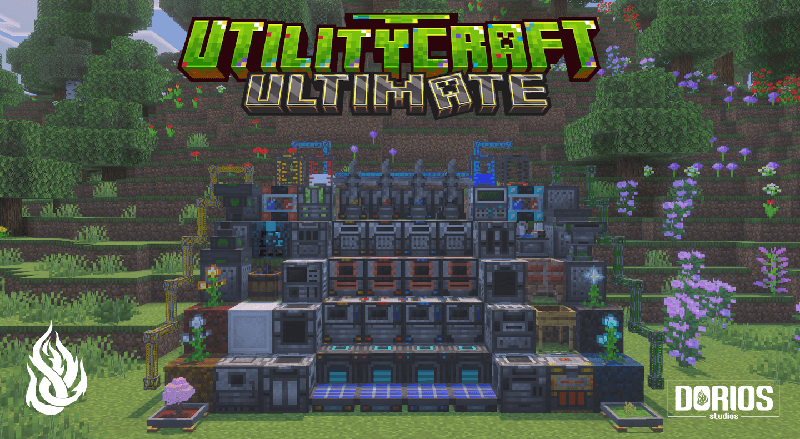
UtilityCraft 3.2 — The Automation Update

· 3 min read
Milo504
Owner

UtilityCraft 3.2.0

Release Date: October 7, 2025
Developed by: Dorios Studios
Download: UtilityCraft v3.2.0 on GitHub


Overview

UtilityCraft 3.2 delivers one of the most extensive updates to date, focusing on deeper automation, improved stability, and technical reworks for long-term addon compatibility.
This release rebuilds core systems for machines, energy transfer, and fluid management, while introducing a new generator, refined UIs, and developer integration through ScriptEvents.
Players can now enjoy more control, faster performance, and flexible automation that scales with their world.


Major Additions & Changes

Machines

  • Reworked sieving system with tiered meshes and balanced drop progression.
  • Added Copper Cobblestone Generator as the first tier in a six-level structure.
  • Rebalanced energy and speed across multiple machines including Crusher, Infuser, Digitizer, and Induction Anvil.
  • New unified machine interface with progress display, upgrade slots, and information area.

Generators

  • Added the Wind Turbine, a passive generator whose efficiency varies with height.
  • Generators now show detailed information such as time of day, remaining fuel, and efficiency.
  • Introduced transfer modes for energy, items, and fluids: Nearest, Farthest, and Round.

Tools and Items

  • Added Steel and Copper AiOTs, Hammers, and Paxels.
  • Added Copper Mesh and new compressed item families.
  • Updated textures for tools, machines, and Mob Grinder.

Mob Grinding

  • Mob Grinders are now upgradeable with Damage and Range modules.
  • Can be toggled on or off for improved control.
  • Enhanced entity detection and performance.

Technical Overhaul

  • Full rewrite of machine, generator, and fluid systems for efficiency and modular design.
  • Introduced ScriptEvent integration to allow external addons to register, replace, or modify recipes dynamically:
    • utilitycraft:register_crusher_recipe
    • utilitycraft:register_infuser_recipe
    • utilitycraft:register_melter_recipe
    • utilitycraft:register_crafter_recipe
    • utilitycraft:register_fuel
    • utilitycraft:register_sieve_drop
  • Added utilitycraft:mesh component for defining custom sieve meshes.
  • Updated rate speed settings:
    • Super Fast → 2 ticks
    • Fast → 4 ticks
    • Normal → 10 ticks
    • Slow (Default) → 20 ticks
    • Super Slow → 40 ticks
  • Reduced maximum stack size of upgrades to 8.

Compatibility

UtilityCraft 3.2 maintains full compatibility with other Dorios Studios projects and popular technical addons such as Integrated Storage and Drawers, ensuring a seamless automation network between systems.


Full Changelog

For a detailed list of every addition, fix, and rework, visit the full changelog:
UtilityCraft 3.2.0 | Full Changelog on GitHub


More Information

For documentation, setup guides, and detailed explanations, visit the official Dorios Studios Wiki:
doriosstudios.com/docs/addons/utilitycraft

For updates, announcements, betas, and community discussions, join the Dorios Studios Discord:
discord.gg/YvzPqJZTNd